
POINT POS
A coffee-shop point-of-sale prototype that deducts ingredients with every sale.
- Client
- POINT
- Field
- Coffee shops
- My role
- Product design, interactive prototype
- Year
- 2026
- Lines
- Sell, Run
The situation
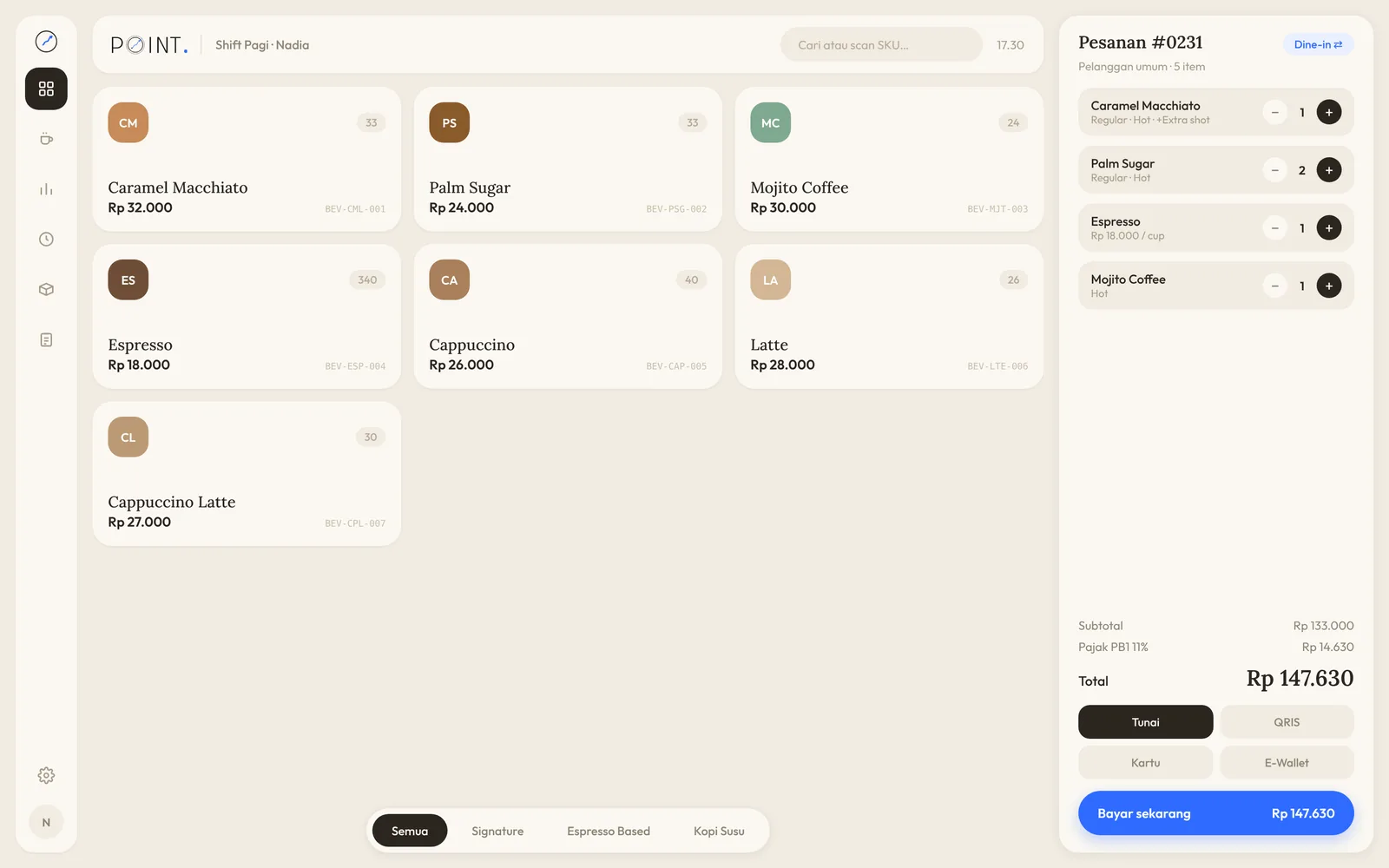
In a coffee shop, one drink uses several ingredients at once: coffee beans, UHT milk, palm sugar, syrup, mint and the cup itself. A till that only counts cups sold can't tell you when ingredients will run out, what each item costs to make, or how much margin is left.
POINT POS is an interactive prototype built to answer that: till, barista screen, dashboard, history, inventory and stock counts in one app. It isn't running in a real shop yet, but every flow can be tried right in the browser.
Six modules, one till
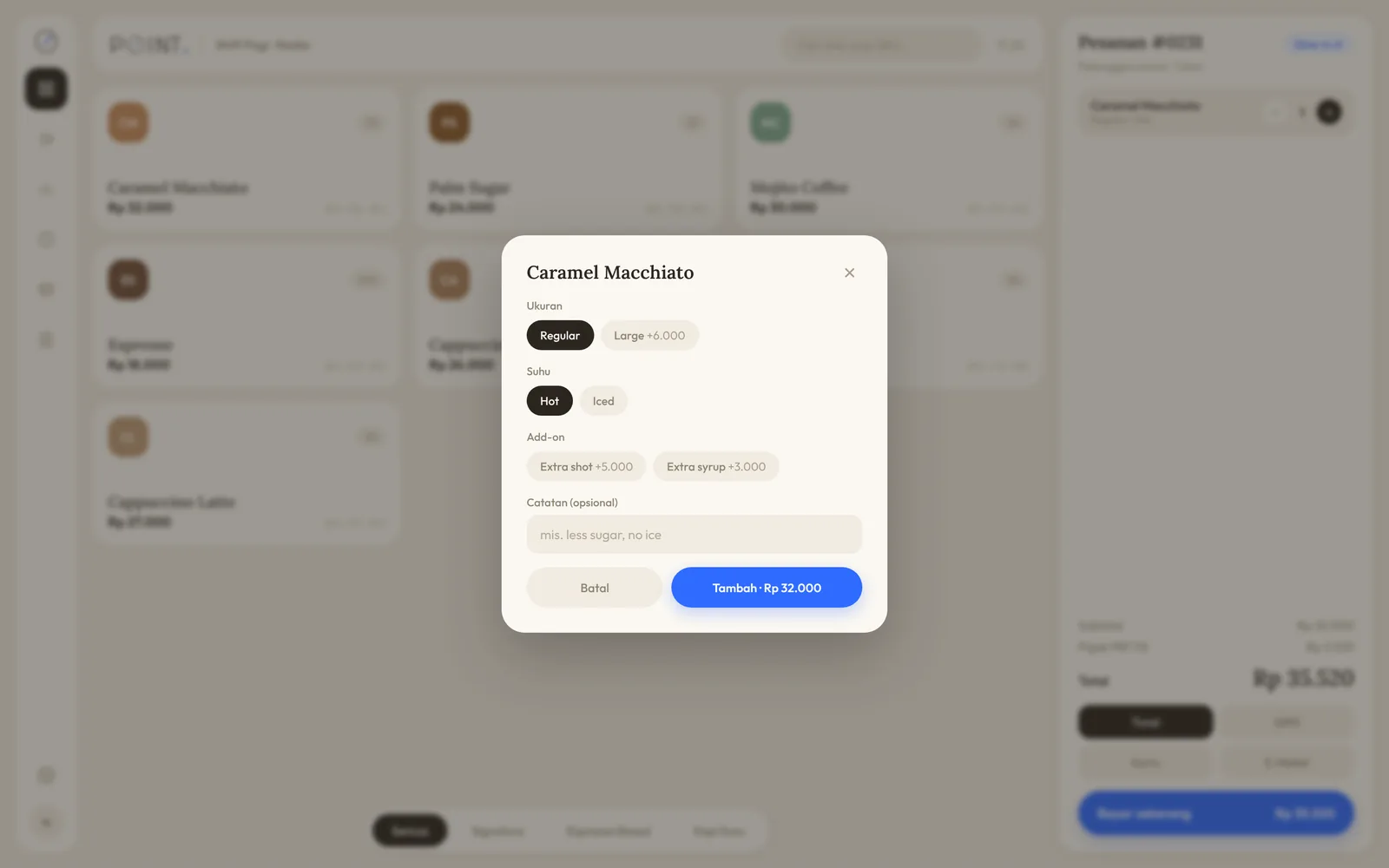
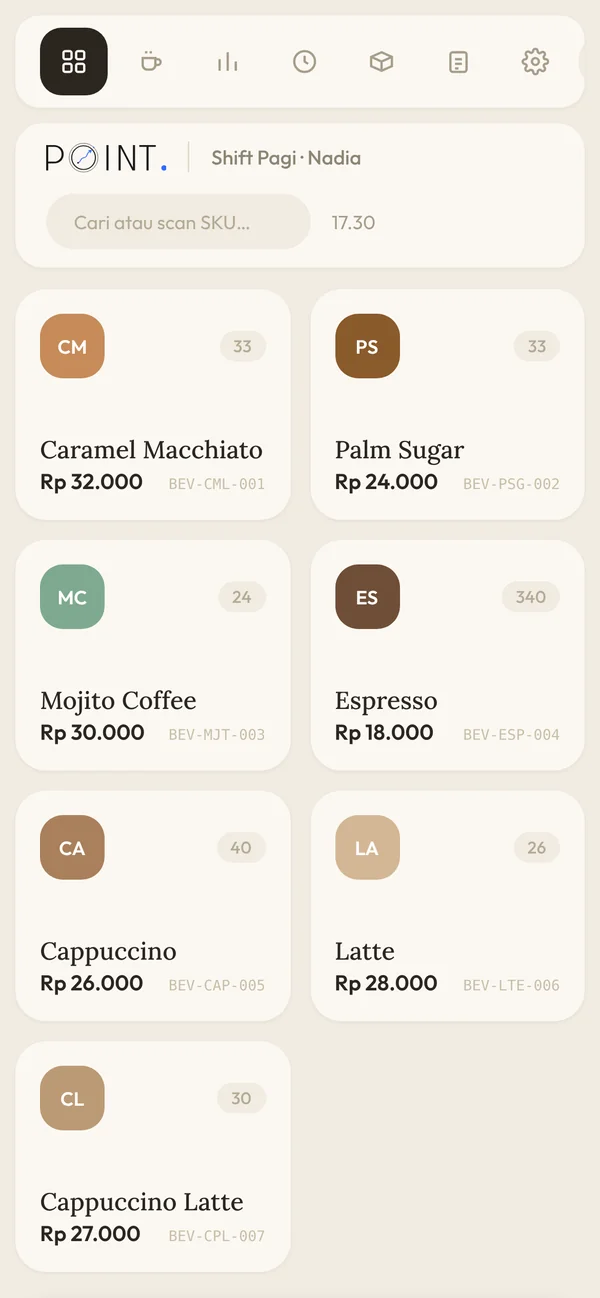
A till with an option sheet
Each item opens an option sheet: Regular or Large (+Rp 6,000), hot or iced, extra shot (+Rp 5,000), extra syrup (+Rp 3,000) and notes. Customers pay by cash, QRIS, card or e-wallet, with a numpad and exact-amount buttons for cash.
Barista screen
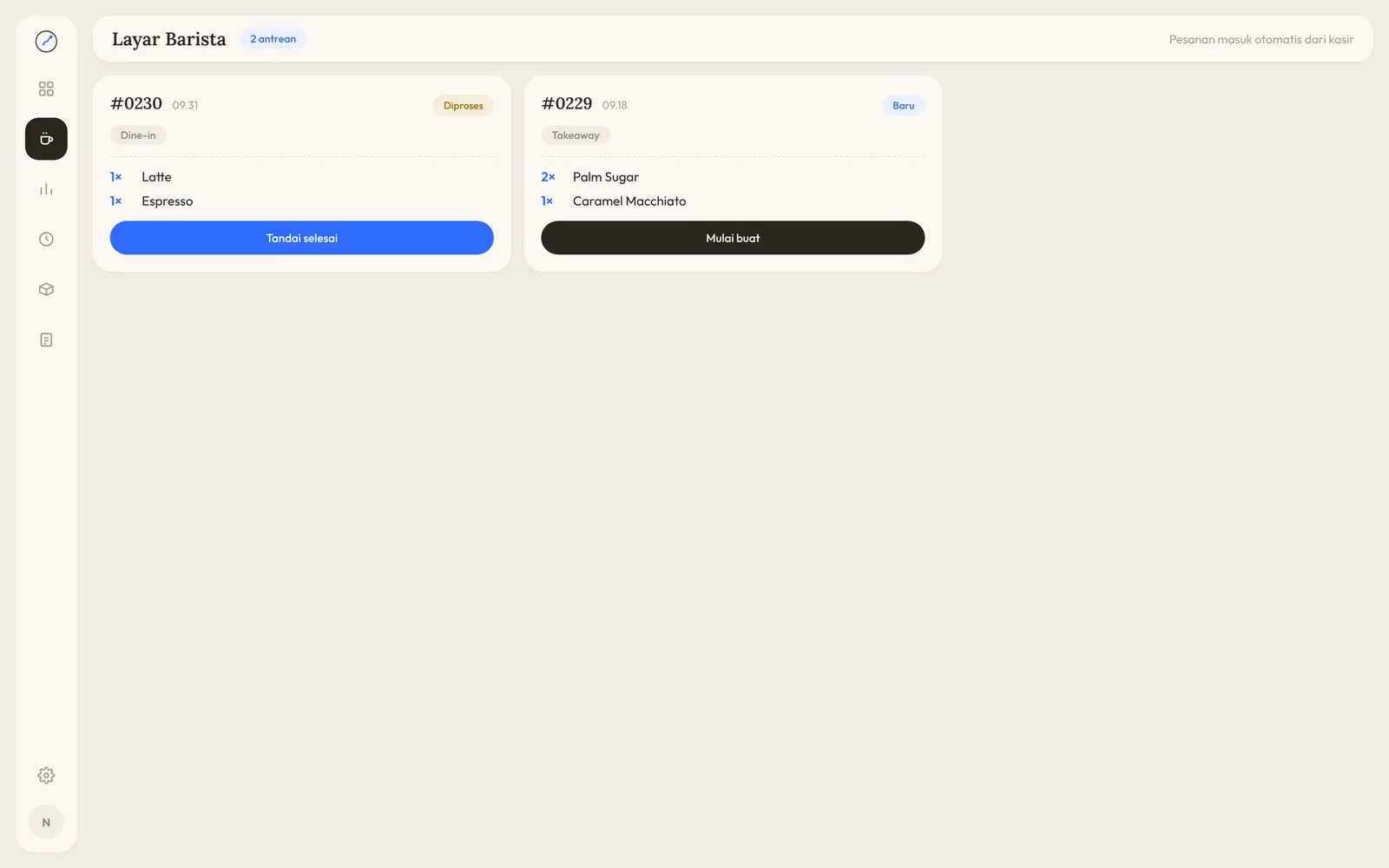
Orders from the till go straight to the barista screen, marked dine-in or takeaway. Baristas tap start, then done, so the queue at the bar is always clear.
Recipes and inventory
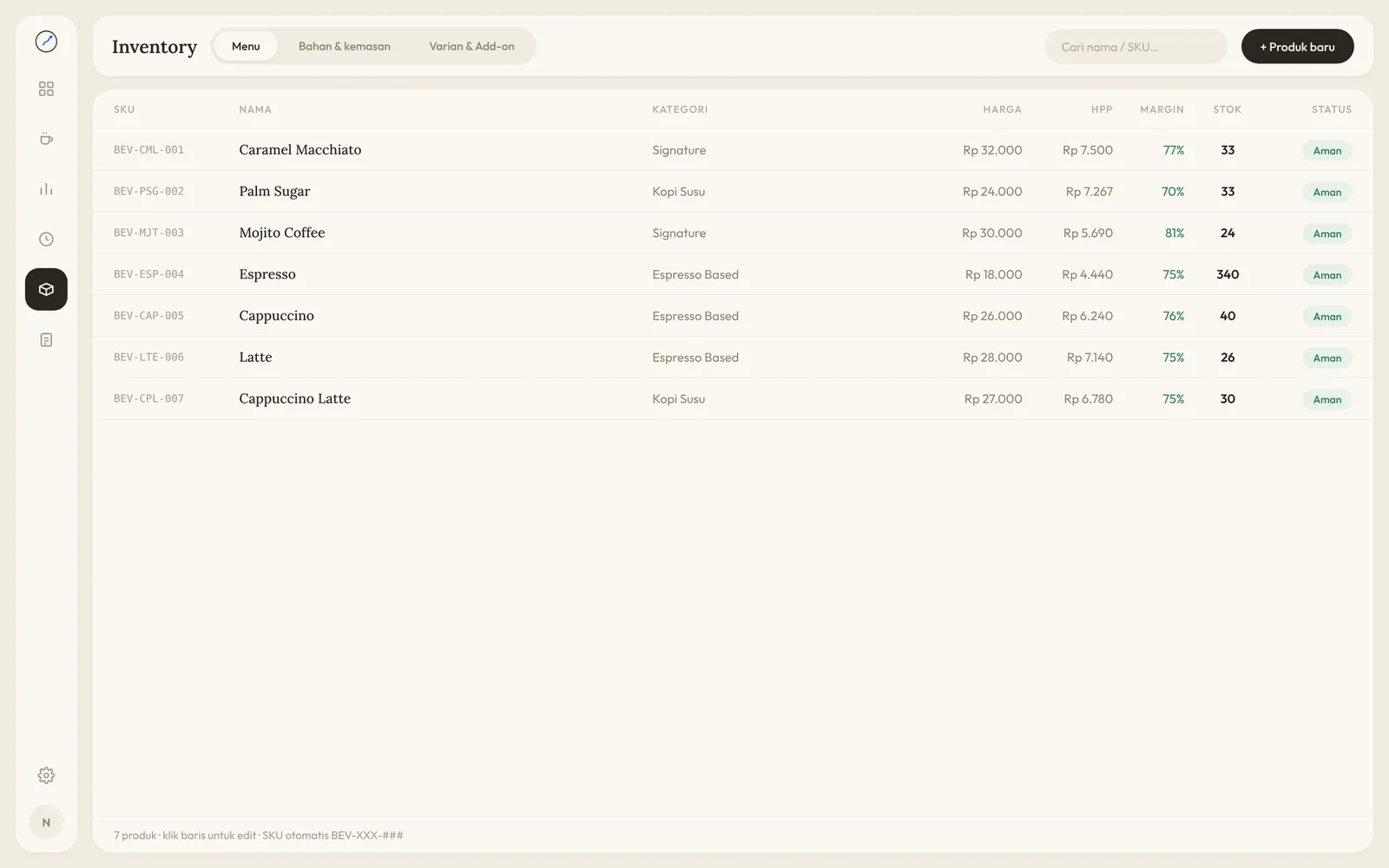
Every item has a recipe, so each sale deducts coffee beans, milk, palm sugar, syrup, mint and cups from stock. SKUs are generated automatically, like BEV-CML-001, and cost of goods and margin per item calculate themselves.
Dashboard, history and stock counts
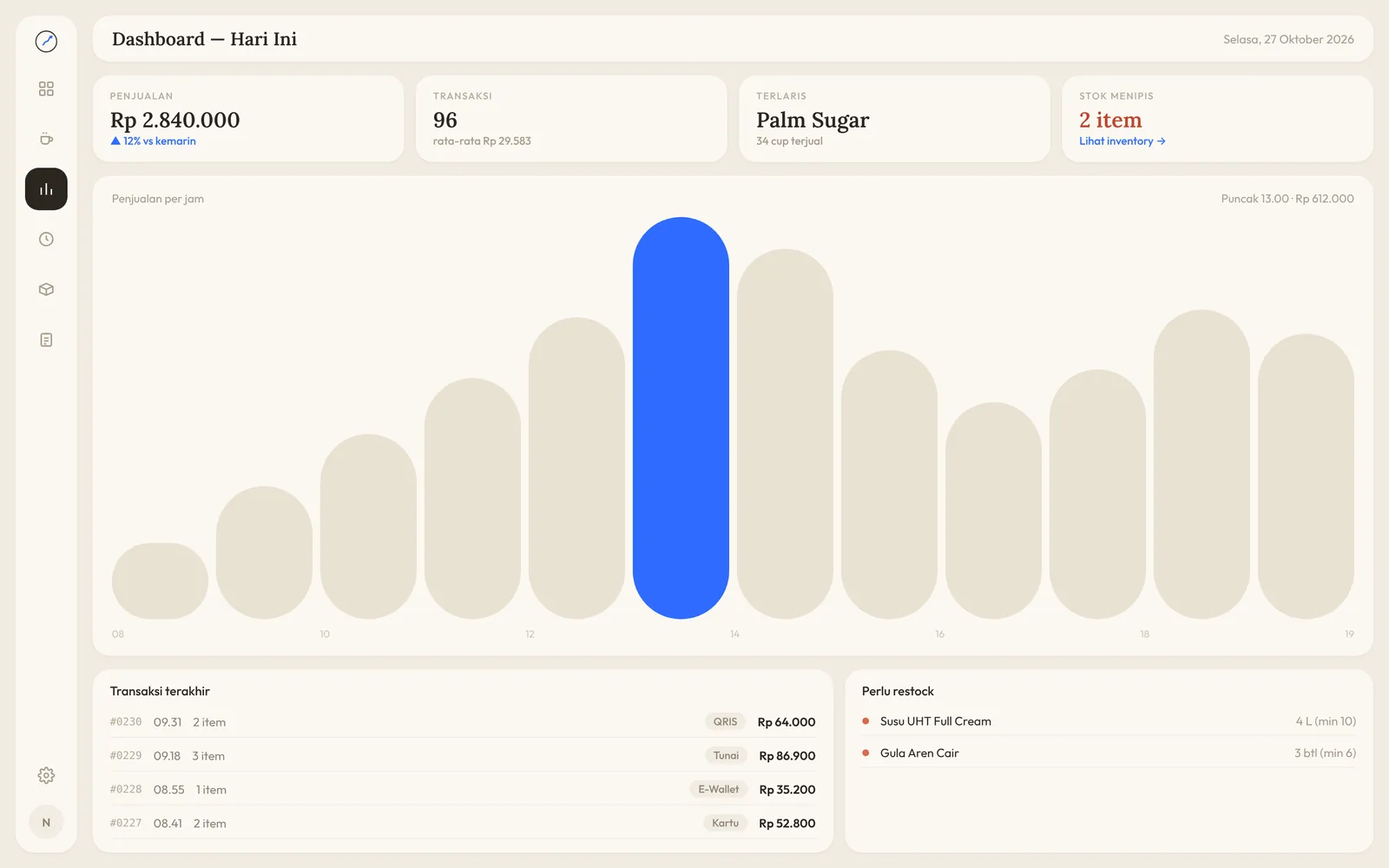
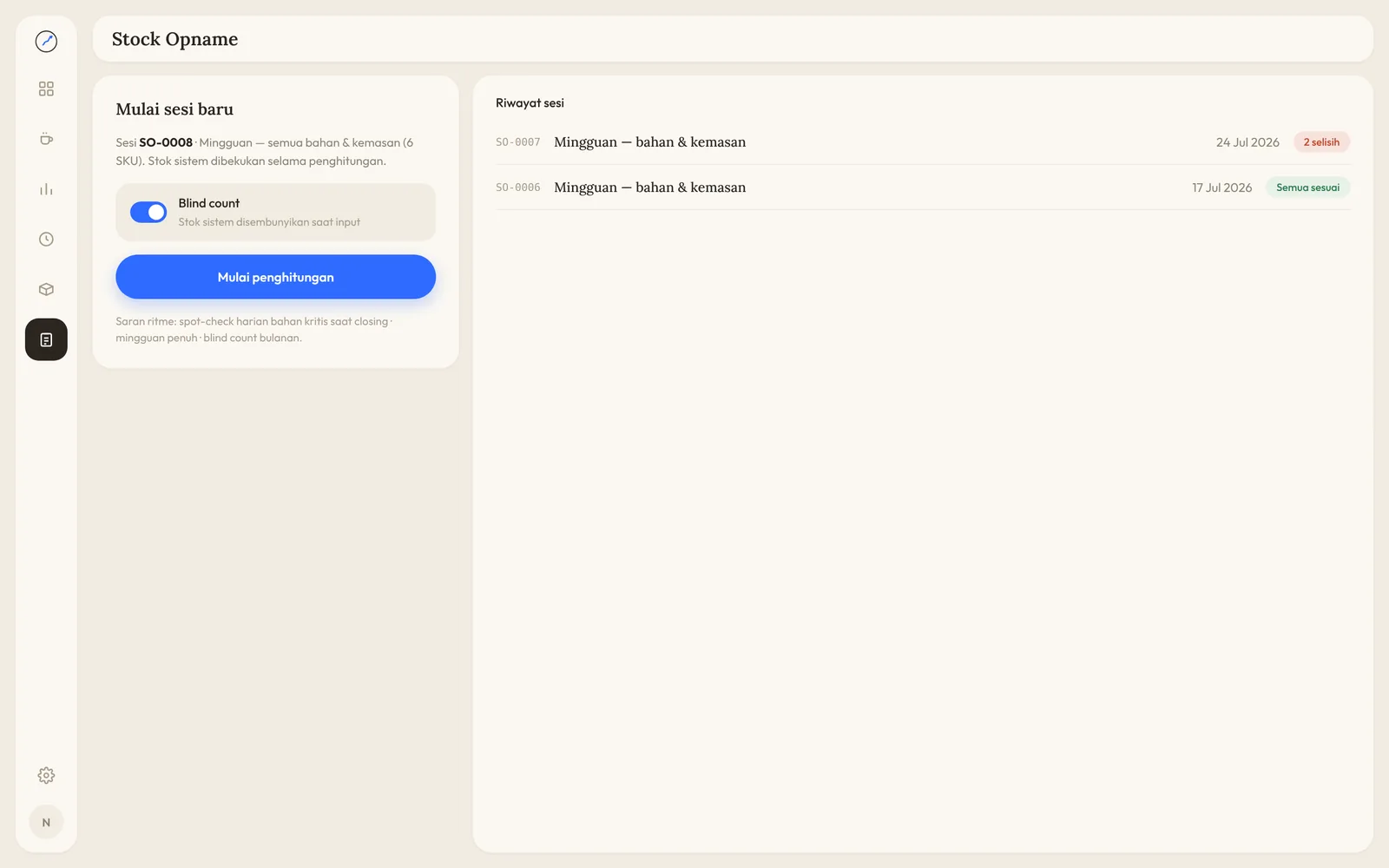
The dashboard shows today's sales and transactions, the best seller, low stock and sales per hour. History keeps every transaction, and stock counts run in sessions with a log of differences.
One order, from till to storeroom
- The cashier picks an item and sets size, temperature and add-ons
- The system checks ingredients and adds 11% PB1 tax
- The customer pays by cash, QRIS, card or e-wallet
- Ingredients come off stock according to the recipe
- The order goes to the barista screen until it's marked done
- A stock count checks system stock against what's on the shelf
Decisions that protect the business
Sales stop when ingredients run out
If there aren't enough ingredients for an item, the till won't sell it and shows “Bahan tidak cukup” (not enough ingredients). No order gets paid for and then turns out impossible to make.
Blind counts for stock takes
During a count, the system's stock figure is hidden and frozen, so staff record what's actually on the shelf instead of copying the number on screen. Differences only show once the count is done.
Cost and margin always in view
Because every item has a recipe, cost of goods and margin are worked out per item. The owner can spot what sells well but earns little, then adjust the price or the recipe.
Small extras always get charged
Large sizes, extra shots and extra syrup add to the order price straight away, and the 11% PB1 tax is calculated automatically. The cashier never has to add up extras in their head.
By the numbers
- 6
- modules in one app
- 4
- ways to pay: cash, QRIS, card, e-wallet
- 11%
- PB1 tax calculated automatically
- 1
- recipe per item, stock deducts itself
Built as an interactive prototype in HTML, CSS and JavaScript that runs right in the browser.